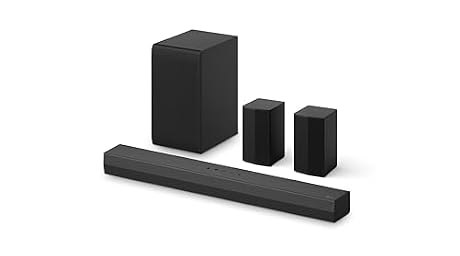
Sonos Beam G2 Soundbar + or Sonos Beam Ultra Soundbar Dolby? Which Sonos Model to Buy
As Amazon Associates, we earn from qualifying purchases. This means we may receive a small commission at no extra cost to you if you click through and make a purchase.
As an Amazon Associate we earn from qualifying purchases. Links on this page are affiliate links.
When comparing the sonos beam g2 soundbar vs beam ultra soundbar dolby, you face two distinct approaches to home audio. Both units connect via Wi-Fi and offer voice control through the Sonos app. The primary difference lies in their configuration and audio technology. The Beam G2 option here includes a dedicated Sub Mini for deeper bass, while the Beam Ultra focuses on advanced Dolby Atmos processing with upward-firing drivers. Your choice depends on whether you prioritize bass extension or immersive height channels.
Configuration
Soundbar + Sub Mini subwoofer
Soundbar only
Audio Format
Standard stereo sound with bass extension
7.1.2 Dolby Atmos
Drivers
Not listed
9 drivers
Special Features
Music streaming over WiFi
AI Speech Enhancement
Color
Black
White
Choose the first if
- You want deeper bass without adding a large subwoofer
- You prefer a black finish for your setup
- You are satisfied with standard stereo imaging
Choose the second if
- You want immersive Dolby Atmos height channels
- You need AI-powered speech enhancement for dialogue
- You prefer a white soundbar with a low-profile design
Verdict
Choose the Beam G2 with Sub Mini if you value physical bass extension and a black aesthetic. Select the Beam Ultra if you prioritize Dolby Atmos immersion and clear dialogue through AI enhancement. Each model serves different acoustic needs.
Sonos Beam G2 vs Beam Ultra
Audio Format
Edge: Sonos Beam Ultra White Soundbar
The Sonos Beam Ultra supports 7.1.2 Dolby Atmos, utilizing upward-firing drivers to create height effects. This allows for immersive, three-dimensional sound that moves around you. The Sonos Beam G2 with Sub Mini does not list Dolby Atmos support in its specifications. It focuses on standard stereo and surround sound processing without the dedicated height channels. If you want true object-based audio for movies and games, the Ultra’s Atmos capability is a clear technical advantage over the G2’s standard format.
Driver Count
Edge: Sonos Beam Ultra White Soundbar
The Sonos Beam Ultra contains nine drivers within its single soundbar unit. This higher driver count contributes to its wider soundstage and clearer separation of audio elements. The Sonos Beam G2 with Sub Mini is sold as a 2-Pack, consisting of the soundbar and a Sub Mini. The soundbar itself does not list a specific driver count in the provided data, but it relies on the external subwoofer for low frequencies. The Ultra packs more internal hardware into one chassis, while the G2 uses an external sub for bass extension.
Bass Response
Edge: Sonos Beam G2 with Sub Mini
The Sonos Beam G2 comes with a Sub Mini subwoofer in the box. This dedicated unit balances out the lowest frequencies, providing physical bass impact that complements the soundbar. The Sonos Beam Ultra does not include a subwoofer in its base package. It relies on its internal drivers and Trueplay tuning to manage low-end frequencies. If you prefer deep, tactile bass without adding extra equipment, the G2’s included subwoofer offers a more complete low-frequency response right out of the box.
Dialogue Clarity
Edge: Sonos Beam Ultra White Soundbar
The Sonos Beam Ultra features AI-powered Speech Enhancement. This technology specifically targets and clarifies human voices, ensuring dialogue remains distinct even during loud action scenes. The Sonos Beam G2 does not list AI speech enhancement in its specifications. It uses standard audio processing to balance voices with music and effects. For viewers who frequently miss dialogue in movies or TV shows, the Ultra’s dedicated AI feature provides a practical improvement in vocal intelligibility over the G2.
Room Tuning
Edge: Tie
Both products support Trueplay, which tunes the sound to your specific room and setup. The Sonos Beam Ultra uses this technology to optimize its nine drivers and Atmos effects. The Sonos Beam G2 also uses Trueplay to balance its soundbar and Sub Mini. Since both models include this adaptive tuning feature, neither holds a technical advantage in this category. You will get personalized sound calibration with either choice, assuming you have a compatible iOS device for the process.
Physical Size
Edge: Sonos Beam Ultra White Soundbar
The Sonos Beam Ultra is a low-profile design measuring 2.56 inches in length (depth) and 29.5 inches in width. It is designed to blend into the room. The Sonos Beam G2 is part of a set that includes a Sub Mini. The variations list heights of 4.8 inches and 2.7 inches for the components. The G2 setup takes up more floor space due to the subwoofer. If you have limited space under your TV, the single Ultra unit is more compact than the two-piece G2 system.
Which Sonos Beam Model Fits You
Viewers wanting clear dialogue in small rooms
Our pick: Sonos Beam Ultra White Soundbar
The Beam Ultra features AI Speech Enhancement to clarify vocals. Its 7.1.2 Dolby Atmos setup includes upward-firing drivers for height effects. Trueplay tuning adapts the audio to your specific room acoustics. This model prioritizes vocal clarity and immersive spatial audio for a single unit.
Users seeking added bass in compact spaces
Our pick: Sonos Beam G2 with Sub Mini
This set includes the Sub Mini subwoofer to balance lowest frequencies. It is ideal for smaller or medium-sized rooms. The combination allows the Beam to sound deeper without overwhelming the space. You get a two-pack configuration that enhances low-end response for movies and music.
Shoppers preferring a white finish option
Our pick: Sonos Beam Ultra White Soundbar
The Beam Ultra is available in white to match lighter decor. It maintains a low-profile design that blends into the room. The unit measures 29.5 inches wide with a height of 2.56 inches. This color option helps the soundbar remain visually unobtrusive while delivering advanced audio features.
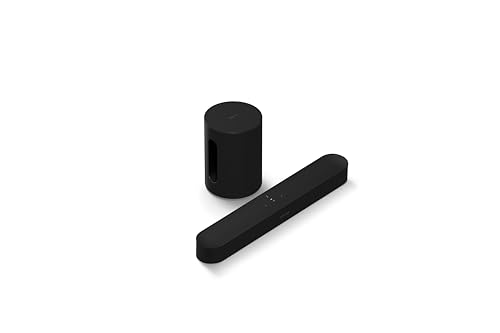
Sonos Beam G2 with Sub Mini
Best for: smaller rooms needing added bass
- Connectivity
- WiFi, Apple AirPlay 2
- Color
- Black
This set pairs the Sonos Beam (Gen 2) soundbar with the Sub Mini subwoofer. It is designed for smaller or medium-sized rooms and low to moderate volume levels. The Sub Mini balances the lowest frequencies to improve the Beam's audio. You can stream music over WiFi using the Sonos app, voice controls, or Apple AirPlay 2. The system syncs with your TV remote for easy operation.
- Includes Sub Mini subwoofer to balance lowest frequencies
- Suitable for smaller or medium-sized rooms
- Supports streaming over WiFi and Apple AirPlay 2
- Syncs with existing TV remote
- Designed for low to moderate volume levels
- Sub Mini adds bulk to the setup
- You want deeper bass for movies
- You have a smaller or medium-sized room
- You prefer low to moderate volume levels
- You need high volume output
- You have a large room
- You want a single soundbar only
Verdict: Sonos Beam G2 + Sub Mini Set adds necessary bass depth for smaller spaces. It suits buyers who want a complete audio experience without overwhelming volume in compact rooms.

Sonos Beam Ultra White Soundbar
Best for: immersive dialogue-focused home theater setups
- Channels
- 7.1.2
- Audio Format
- Dolby Atmos
- Connectivity
- Wi-Fi
- Color
- White
- Dimensions
- 2.56 × 4.13 × 29.5 inches
- Weight
- 6.39 pounds
The Sonos Beam Ultra Soundbar delivers 7.1.2 Dolby Atmos with upward-firing drivers for immersive audio. It features nine drivers and AI Speech Enhancement to clarify dialogue. The white unit measures 29.5 inches wide and weighs 6.39 pounds. Trueplay tuning adapts the sound to your room. It connects via Wi-Fi and supports multiroom audio streaming.
- 9 drivers for wider soundstage and clearer separation
- 7.1.2 Dolby Atmos with upward-firing drivers
- AI Speech Enhancement for clear dialogue
- Trueplay tunes sound for your specific room
- Heavier build at 6.39 pounds compared to lighter alternatives
- Wi-Fi only connectivity without listed Bluetooth option
- Low-profile design may offer less bass depth without a subwoofer
- You want immersive Dolby Atmos audio in a white finish
- You prioritize clear dialogue through AI Speech Enhancement
- You use Wi-Fi for multiroom audio streaming
- You need Bluetooth connectivity for direct phone pairing
- You require a black soundbar to match your decor
- You want a lighter unit under 5 pounds
Verdict: Sonos Beam Ultra White Soundbar suits listeners seeking precise dialogue and Atmos immersion in a low-profile white design. It fits those who value Wi-Fi multiroom streaming over Bluetooth flexibility.
Specifications side by side
| Spec | Sonos Beam G2 with Sub Mini | Sonos Beam Ultra White Soundbar |
|---|---|---|
| Channels | – | 7.1.2 |
| Audio Format | – | Dolby Atmos |
| Connectivity | WiFi, Apple AirPlay 2 | – |
| Features | – | Dolby Atmos |
| Color | Black | White |
| Dimensions | – | 2.56 × 4.13 × 29.5 inches |
| Weight | – | 6.39 pounds |
| Size | 2-Pack | – |
| Model | Sonos Beam (Gen 2) | BMULTUS1 |
Frequently asked questions
Does the Sonos Beam Ultra support Dolby Atmos?
Yes, the Sonos Beam Ultra supports 7.1.2 Dolby Atmos. This configuration includes upward-firing drivers that create height effects for immersive sound. You get three-dimensional audio that moves around your listening space. The Beam G2 with Sub Mini does not list Dolby Atmos support in its specifications.
What is the difference in size between the two soundbars?
The Sonos Beam Ultra has specific physical dimensions listed. It measures 29.5 inches in length, 4.13 inches in height, and 2.56 inches in depth. It weighs 6.39 pounds. The Beam G2 is sold as a 2-Pack with a Sub Mini, so its dimensions depend on the included subwoofer.
Can I use the Sonos Beam Ultra in a white room?
Yes, the Sonos Beam Ultra is available in a white color option. This low-profile design suits listeners who want a specific aesthetic match for their decor. It fits those who prioritize visual integration alongside audio performance. The Beam G2 is listed in black.
Which model is better for smaller rooms needing bass?
The Sonos Beam G2 with Sub Mini is best for smaller rooms needing added bass. This set adds necessary bass depth for compact spaces without overwhelming volume. It suits buyers who want a complete audio experience in a limited area. The Beam Ultra focuses on dialogue and Atmos immersion.
Does the Beam Ultra use Wi-Fi or Bluetooth?
The Sonos Beam Ultra connects via Wi-Fi. It is designed for Wi-Fi multiroom streaming rather than Bluetooth flexibility. You can control it through the Sonos app and voice commands. Both models offer Wi-Fi connectivity and voice control features for your home audio setup.
How does the Beam Ultra handle dialogue clarity?
The Beam Ultra features AI Speech Enhancement to clarify vocals. This technology helps you hear dialogue clearly in immersive setups. It is ideal for home theater configurations where precise dialogue is important. The Beam G2 focuses on general audio balance with added subwoofer depth.
What is the model number for the Beam Ultra?
The model number for the Sonos Beam Ultra is BMULTUS1. This identifier distinguishes it from the Beam G2. You can use this model number to verify specifications and compatibility with your existing Sonos ecosystem. The Beam G2 is identified as model Sonos Beam (Gen 2).